
September 21, 2026
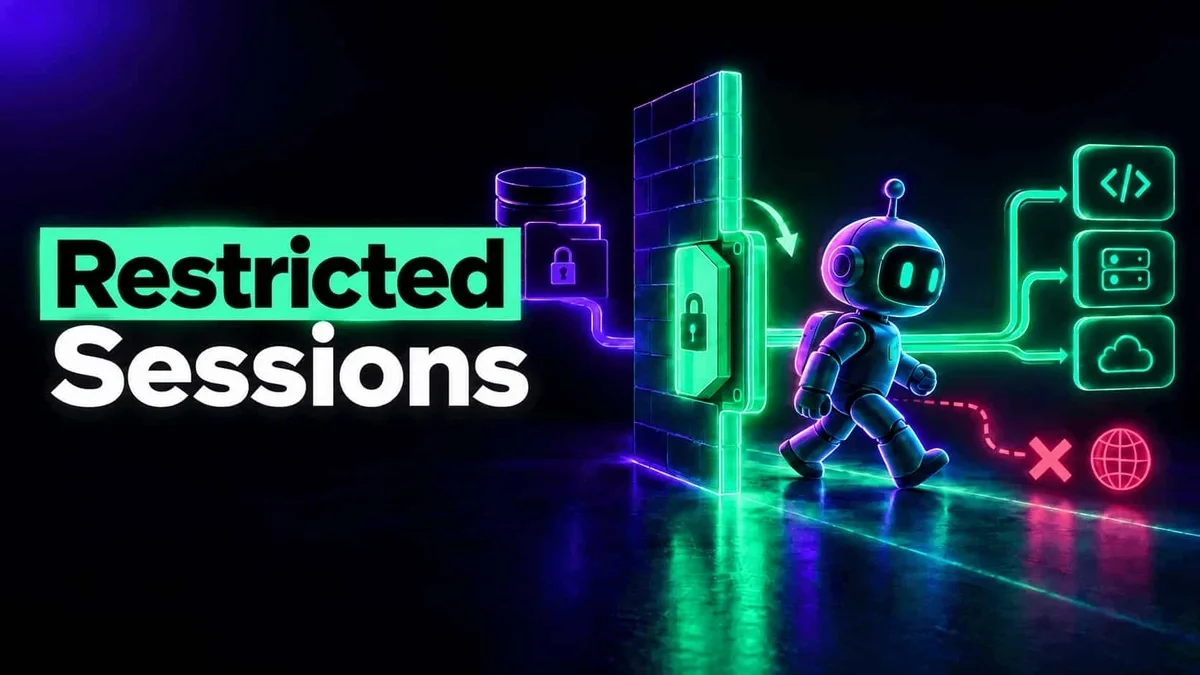
Restricting AI Agents When No Human Is Watching
Learn how restricted sessions apply security by design to the agentic risk model, limiting data exfiltration and unsafe actions in AI agents.
Read More
AI agents don't run in one place. They run on laptops, in browser tabs, inside AI SaaS, behind gateways and in cloud sandboxes nobody logs in to. Securing them means a security layer in each of those environments: an agent or extension where AI runs, an integration with the AI vendor, or a gateway in between.
Autonomous covers all of them, reporting into one inventory, one activity log and one policy: the endpoint agent, the browser extension, AI SaaS integrations, the MCP Gateway, LiteLLM guardrails, and the agent in containers and cloud agents.
Every place AI runs hides it from the others. Security that watches one of them leaves agents in the rest unseen, and an agent that can't be seen can't be stopped.
So the layers work together: each covers its environment, and all of them report into the same inventory, the same session history and the same guardrails policy. A session the endpoint agent and an AI SaaS integration both recorded is one session, on one person.
Install the endpoint agent on macOS, Windows and Linux with one command, or silently through Intune, Jamf Pro, Iru (Kandji), JumpCloud, Mosyle, Fleet or any MDM. Its first scan finds the AI agents on each machine.
Push the browser extension to Chrome, Edge and Firefox, and connect Claude Enterprise, ChatGPT Enterprise and Microsoft 365 Copilot, so AI used outside the desktop is in the same picture.
Put the agent into your container images and your Claude Code and Cursor cloud environments, point your LiteLLM proxy at your guardrails, and move MCP servers behind the MCP Gateway.
Every AI agent below is discovered where it runs. The columns say how much deeper each layer sees into it, and where it can act before the agent does.
The endpoint agent
| AI agent | InventoryInventory | HistorySession history | EnforcedReal-time enforcement |
|---|---|---|---|
| Cursor | Yes | Yes | Yes |
| Claude CodeWindows: version 2.1.139 or later for enforcement | Yes | Yes | Yes |
| OpenAI Codex | Yes | Yes | Yes |
| Codex Desktop | Yes | Yes | Yes |
| ChatGPT DesktopEnforcement on version 26 and later | Yes | Yes | Yes |
| Claude Desktop | Yes | Yes | Yes |
| Gemini CLI | Yes | Yes | Yes |
| Devin Desktop (Windsurf) | Yes | Yes | Yes |
| GitHub Copilot | Yes | No | No |
| VS Code | Yes | Yes | No |
| JetBrains IDEs | Yes | Yes | No |
| Augment Code | Yes | Yes | Yes |
| AI agent | InventoryInventory | HistorySession history | EnforcedReal-time enforcement |
|---|---|---|---|
| OpenCode | Yes | Yes | Yes |
| VS Code Insiders | Yes | Yes | No |
| Kimi Code | Yes | Yes | Yes |
| OpenClaw | Yes | Yes | No |
| Pi | Yes | No | No |
| Junie | Yes | No | No |
| Warp Terminal | Yes | Yes | No |
| VSCodium | Yes | No | No |
| Zed | Yes | No | No |
| Continue | Yes | No | No |
| Cline | Yes | No | No |
| Trae | Yes | No | No |
| LM Studio | Yes | No | No |
| AnythingLLM | Yes | No | No |
| Kiro | Yes | No | No |
| Amazon Q | Yes | No | No |
| Roo Cline | Yes | No | No |
| Goose | Yes | No | No |
| Amp | Yes | No | No |
| Qwen | Yes | No | No |
| Antigravity | Yes | No | No |
| Roo Code | Yes | No | No |
| Grok CLI | Yes | No | No |
| Witsy | Yes | No | No |
| 5ire | Yes | No | No |
| BoltAI | Yes | No | No |
| CherryStudio | Yes | No | No |
| gptme | Yes | No | No |
| Enconvo | Yes | No | No |
| Crush | Yes | No | No |
| Supermaven | Yes | No | No |
| Comet (Perplexity) | Yes | No | No |
| Ollama | Yes | No | No |
| Hugging Face | Yes | No | No |
| Msty | Yes | No | No |
| Jan | Yes | No | No |
| GPT4All | Yes | No | No |
| Gemini Desktop | No | No | No |
| Claude on Excel | No | No | No |
| Claude on PowerPoint | No | No | No |
| ChatGPT Atlas | No | No | No |
The browser extension
| AI agent | InventoryInventory | HistorySession history | EnforcedReal-time enforcement |
|---|---|---|---|
| ChatGPT | Yes | Yes | Yes |
| Claude | Yes | Yes | Yes |
| Gemini | No | Yes | Yes |
| Microsoft 365 Copilot | Yes | Yes | Yes |
| Microsoft 365 Copilot Cowork | Yes | Yes | Yes |
| NotebookLMGuardrails also check a notebook's sources | No | Yes | Yes |
The AI vendor's own API
| AI agent | InventoryInventory | HistorySession history | EnforcedReal-time enforcement |
|---|---|---|---|
| Claude EnterpriseBlocks before the model, with inference hooks on | No | Yes | Yes |
| ChatGPT EnterpriseConversations and Codex sessions | No | Yes | No |
| Microsoft 365 CopilotEvery licensed user | No | Yes | No |
The endpoint agent is a lightweight agent on each laptop and server, the endpoint security agent for AI. It finds the AI agents installed there, reads what they load and records what they do.
Try it free: Cursor · Claude Code · Codex
The browser extension covers AI used in a browser tab, which a desktop agent can't see, and reports into the same views as the endpoint agent.
AI SaaS integrations read usage from each AI vendor's own API, server-side, so you see it even from devices you don't manage. Each also supplies its users, so cloud-only use still has a name.
Try it free: Claude · Microsoft Copilot
Cloud agents and background agents work with nobody watching: in dev containers, CI runners, Kubernetes pods and the sandboxes Anthropic and Cursor start for each task. Autonomous puts the same agent inside them.
Try it free: Cursor
Already route model calls through a LiteLLM proxy? It asks Autonomous before each request goes to the model and again on the answer, and lets it through, masks the secrets in it, or blocks it, by the same guardrails policy your endpoints use. About ten minutes to set up.
Try it free: LiteLLM guardrails
The MCP servers your agents use, run by us in isolated sandboxes instead of on laptops. An administrator adds each server once and decides which of its tools everyone may call; each person signs in as themselves, and their tokens stay in a vault the agent never sees.
Yes. The endpoint agent runs on macOS 13 or later, Windows and Linux, and in Linux containers. On Windows, real-time enforcement for Claude Code needs Claude Code 2.1.139 or later; earlier versions are recorded, not enforced inline.
Yes, with the browser extension on Chrome, Edge or Firefox. It captures ChatGPT, Claude, Gemini, Microsoft 365 Copilot and NotebookLM, checks each prompt at submit, and can block AI web apps you haven't approved. Safari isn't supported.
The Claude Enterprise integration doesn't report it. Those sessions run in Anthropic's cloud environments, and putting the agent in through the environment's setup script covers each one as an endpoint, with its inventory, session history and guardrails.
Yes, when the CI job runs in a container built from your image with the agent in it. A CI system that replaces the image's entrypoint, such as a GitHub Actions container job, never starts the agent, so agents there run ungoverned.
No. Start where your AI runs: most teams start on endpoints, where coding agents run. Add the browser extension when people use AI in the browser, AI SaaS integrations for use on devices you don't manage, and the container agent once agents run in the cloud. Each layer you add reports into the same place.
Gemini Desktop, Claude on Excel and PowerPoint, and ChatGPT Atlas are discovered and can be allowed or blocked, but not looked into further yet. Safari isn't supported by the browser extension.
About 10 minutes to integrate. The endpoint agent runs on macOS, Windows, Linux and containers, in the cloud too: install it with one command, or silently through your MDM (Microsoft Intune, Jamf Pro, Iru (Kandji), JumpCloud, Mosyle, Fleet or any other). Its first scan inventories a machine's AI agents within a few minutes.
Not unless you choose to. Every new policy and guardrail starts off or in monitor mode, where activity is evaluated and logged but nothing is blocked. You move a policy to enforce when its findings look right, for a pilot group first.
Learn how restricted sessions apply security by design to the agentic risk model, limiting data exfiltration and unsafe actions in AI agents.
Read More
Enterprise AI agents are repeating the Hugging Face breach patterns on developer endpoints right now. A study of 100k agent sessions revealed thousands of cases of autonomous credential hunting, indirect prompt injection via Jira/Confluence, and unsupervised production changes. Learn why agentic security requires continuous session monitoring, input guardrails, and brokered credentials.
Read MoreStart on endpoints in minutes, then add the browser, AI SaaS and the cloud as your agents spread.
Book a demo