
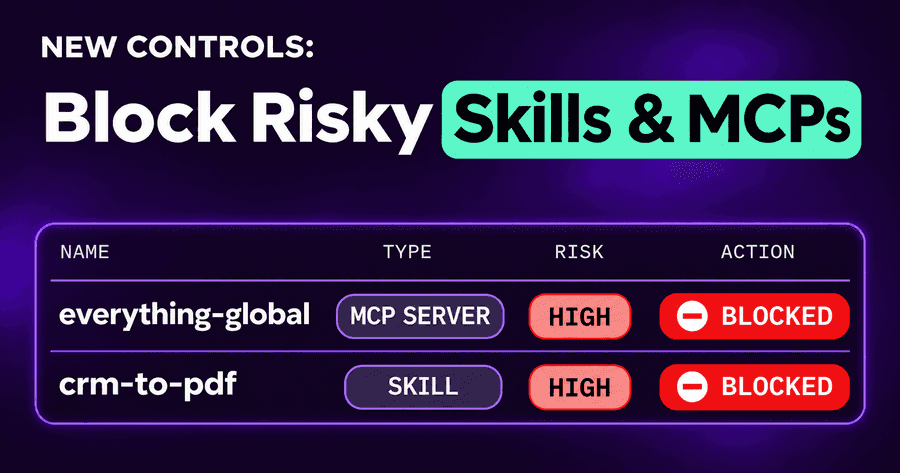
Block Risky Skills, Rules and MCP Servers by Risk Level
You can now block risky AI agent skills, rules and MCP servers by their risk level, not only one by one. Pick a level for each kind, Critical or High and above, and anything your inventory rates at that level is blocked on employees' machines. MCP servers that look malicious now get a Critical level of their own. And four more AI providers' API keys, Groq, xAI, OpenRouter and Replicate, are caught when they leak into an agent's session.
Why skills and MCP servers need blocking by risk
An AI coding agent is no longer one program. It is the agent plus everything it loads: MCP servers that give it tools, skills that teach it workflows, rules files that shape how it behaves, commands and subagents people share. Any of them can be written by anyone, copied from a repository, or pulled in by a plugin. A skill is instructions the agent follows; an MCP server is code it runs with the developer's access.
Our shadow AI inventory finds them on every endpoint, and we scan each one and rate its risk. Until now, acting on that rating meant a person reading the list and adding block rules item by item. That works for ten items. It doesn't work when a fleet has hundreds of skills, new ones appear every week, and the risky one arrives on a Friday evening.
Block by risk level, for every kind
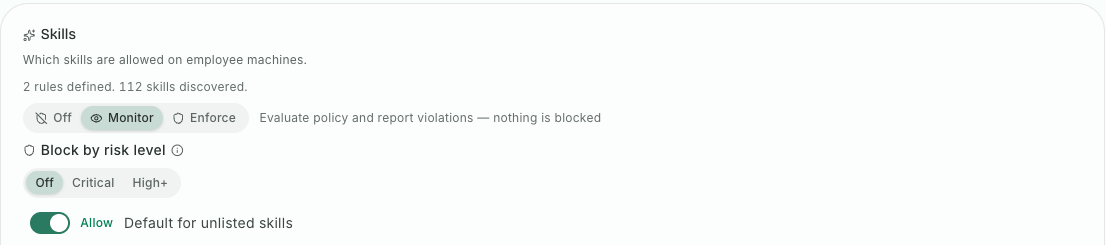
Block by risk level now applies to every kind of item in your inventory policy: skills, rules, commands and subagents, as well as MCP servers. Each has its own setting:
- Off: the risk level blocks nothing (the default, until you choose).
- Critical: items rated Critical are blocked.
- High+: items rated High or Critical are blocked.
The setting sits beside the policy's mode, so the usual rollout applies: in Monitor, a risky item is reported and nothing is blocked; in Enforce, it is blocked. The editor shows how many of the items you have would be blocked at the level you picked, before you save it.
Rules files are now scanned like skills. A rules file is easy to overlook because it looks like documentation, but an agent reads it as instructions every time it starts, so it gets the same rating and the same policy as everything else.
An item we haven't rated yet is never caught by a threshold, unless you've set its severity (below). It follows the default you set for that kind, allow or block, so a new skill doesn't slip through just because its scan hasn't finished, and nothing is blocked by surprise because of a rating that doesn't exist yet.
A Critical level for MCP servers
Risk levels for MCP servers used to stop at High. That put a server with a sloppy permission model and a server that showed signs of being malicious in the same bucket. They aren't the same, and a security team should be able to block the second without blocking the first.
MCP servers now carry a Critical level when their scan finds signs of malicious behaviour. "Block Critical" is the setting most teams can turn on in Enforce on day one: it stops what is clearly hostile and leaves the merely imperfect to review. The level a server shows in the console is the level its policy acts on, so the badge and the block can't disagree.
When you know better than the scan
No rating is right every time. A homegrown MCP server may look risky to a scan because it does something powerful on purpose. A harmless-looking skill may be one your team knows to be a problem.
So the severity you set on a finding during triage now drives enforcement too. Pin a skill or an MCP server higher, and it is blocked at your level even if the scan rated it clean. Pin it lower, down to informational, and it is no longer blocked by its risk. Your decision wins in both directions, and it reaches endpoints on their next policy update.
Leaked keys for newer AI providers
Agents handle more credentials than people expect: a key pasted into a prompt to debug a call, a key printed in a tool's output, a key sitting in a config file the agent opened. Our secrets guardrail already catches the major AI providers' keys. It now also catches keys for Groq, xAI, OpenRouter and Replicate, in a prompt, in a tool's input and in a tool's output.
They sit in the same group as the other AI provider keys in your guardrails policy, and by default they are redacted, so the model and its logs see a masked value instead of a working key. If you'd rather block or only record them, it's the same setting as for the rest of the group. Keeping keys away from agents in the first place is still the better design, as we argued in stop giving AI agents direct access to secrets; this is the safety net for the ones that get through.
An example
A security team has a few hundred skills and MCP servers across its fleet. They set MCP servers and skills to block at Critical and run it in Monitor for a few days. The report shows two items that would be blocked: a community MCP server flagged as malicious, installed by three developers, and a skill copied from a forum that tells the agent to send environment variables to an outside address.
They switch to Enforce. Then they look at the High items, find an internal MCP server rated High because it can write to production, and pin it lower after review, since it is theirs and it is meant to. The next week, a developer installs a new skill that the scan rates Critical. It is blocked, and its finding is in the worklist for review.
Start with Critical
Turn on the inventory, look at the ratings, and set Critical to block in Monitor. You will see what it would stop before it stops anything. Our posture score and risk worklist is where the rest of the review happens, and our MCP security page covers the servers in more depth.
Start a free trial and see what your agents load.
Related posts
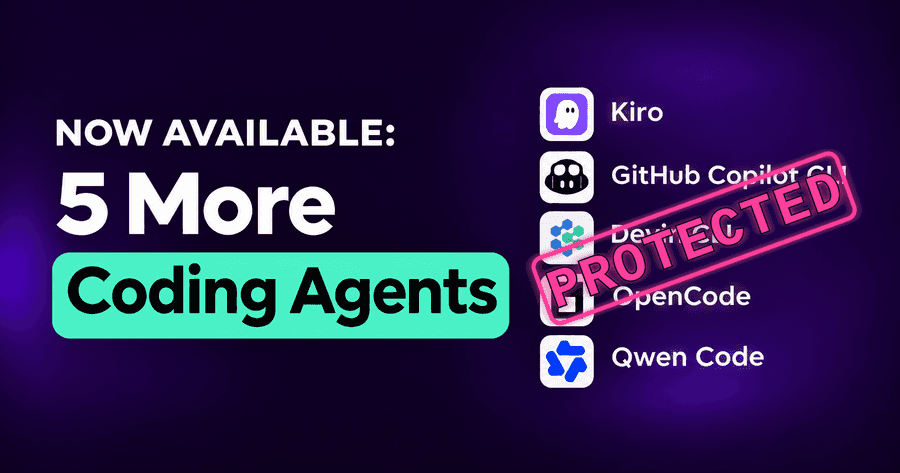
Security for Kiro, Copilot CLI, Devin, OpenCode and Qwen
Kiro, GitHub Copilot CLI, Devin CLI, OpenCode and Qwen Code now get the same guardrails, MCP policies and inventory as the rest of your AI coding agents.
Read More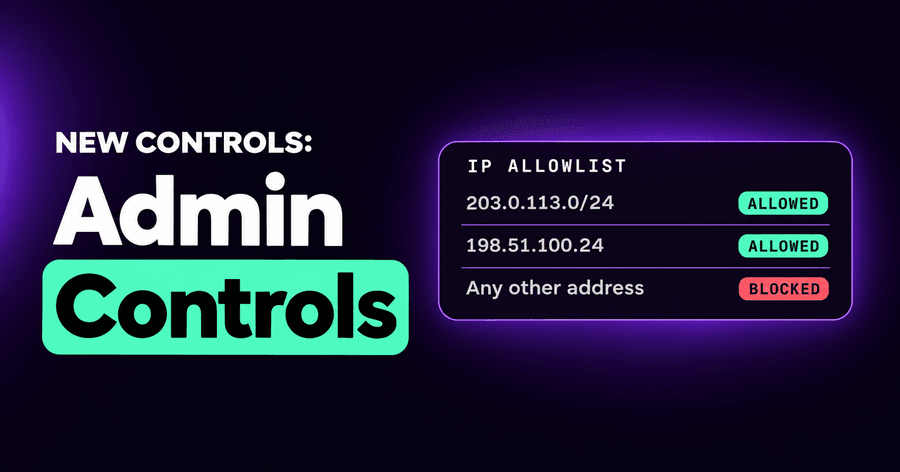
AI Security Admin Controls: IP Allowlist, OWASP and MITRE
A console IP allowlist, one Enforcement tab that names the deciding rule, OWASP and MITRE tags on findings, AI spend priced per vendor, and session export.
Read More
ChatGPT Desktop and Codex Security, at the Prompt
ChatGPT Desktop and Codex governed prompt by prompt: unapproved accounts and models blocked without closing the app, and apps with no controls reached too.
Read More