
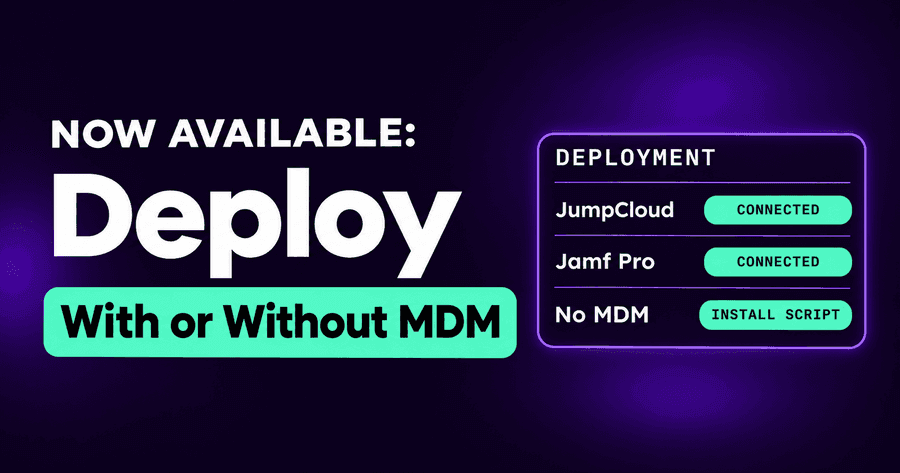
Deploy AI Agent Security with JumpCloud, Jamf Pro or No MDM
In August we connected Autonomous Security to Intune, Jamf Pro, Iru and your EDR, so you could deploy AI agent security the way you deploy everything else. Since then, the questions have been about the edges: a JumpCloud integration that shouldn't depend on one administrator's key, a Jamf team that wants the integration's setup written down, and pilots on a handful of laptops with no MDM at all. This release answers all three: deploy AI agent security with JumpCloud, Jamf Pro, or no MDM.
No MDM? Install the agent from its own card
Not every rollout starts with an MDM. A pilot on a few engineers' laptops, a startup that hasn't bought one, a contractor's machine that will never be enrolled, a Linux build box. For those, the Integrations page now opens with an Agent card in its own Endpoint section.
Create it and you get your organization's enrollment key and the install commands, one for macOS and Linux and one for Windows, ready to copy, with a link to the onboarding guide. Run the command on a machine and it appears on the Endpoints page with its first scan of the AI apps, accounts, MCP servers and skills on it. When you're ready to roll out to the fleet, the MDM integrations are further down the same page.
It is the same agent either way. The card only changes how it gets there.
JumpCloud, with a service account
JumpCloud has synced devices and groups, and deployed the agent in one click, for a while. What it asked for was a JumpCloud administrator's personal API key. That works until the administrator leaves, changes role, or rotates their key, and then the integration stops working.
The JumpCloud integration can now sign in with a JumpCloud service account instead: an API identity that belongs to the organization, not to a person, with a role you choose. The per-administrator key still works and stays the default, so nothing changes for existing connections until you choose to move.
For a security team, this is the difference between an integration that belongs to a person and one that belongs to the organization. The service account's role is the only access the integration has, it can be reviewed and rotated in one place, and nobody's departure takes your deployment path with it.
Deployment guides that cover the integration
IT teams deploy from procedures, not from blog posts. The JumpCloud and Jamf Pro deployment guides now cover the integration as well as the manual rollout:
- JumpCloud: both paths side by side, deploying from our console through the integration, or by hand in the JumpCloud Admin Portal for teams whose change control requires it, with the credentials and role the integration needs.
- Jamf Pro: connecting the integration so your Macs and computer groups appear in the console, before deploying the agent from the Jamf Pro console as you deploy every other managed app.
Both still end the same way: check that the machines report, and know what to do about the ones that don't.
Since then: endpoint health that says why
Deployment never reaches 100% on the first pass, and the hard part is knowing why a machine isn't covered. Since October 21, an endpoint whose browser extension coverage is missing says why: which operating system user and which browser profile is uncovered. A machine covered in some profiles and not others reads Partial extension, rather than looking like a machine with nothing installed. A fleet view that used to say "no extension" now tells you which profile to fix.
Why this matters
AI agents tend to show up first on the machines nobody planned for: the pilot laptop, the build box, the personal profile in a work browser. A rollout plan that only covers the MDM-enrolled fleet misses exactly those. Now there is a path for every machine, an integration that doesn't depend on one person's key, and a written procedure for the teams that need one.
Our environments page lists where the agent runs, and our integrations page lists the MDMs and EDRs it works with.
Try it
Want to see what AI is on your machines? Start a free trial: we'll walk you through the platform and the rollout that fits your fleet.
Related posts
Agentless Security for ChatGPT Enterprise, Claude, Copilot
Connect Claude Enterprise, ChatGPT Enterprise (with Codex) and Microsoft 365 Copilot and see every chat and agent session in one place, with nothing to install.
Read More
Deploy AI Agent Security with Intune, Jamf and Your EDR
Microsoft Intune, Jamf Pro and Iru (formerly Kandji) bring your fleet and groups in, and CrowdStrike, Defender and SentinelOne show machines missing the agent.
Read More
AI Security Posture Score and Automated Investigations
One AI security posture score for your fleet, a risk worklist that drives it, and AI-written investigations of risky agent sessions, in our redesigned console.
Read More