
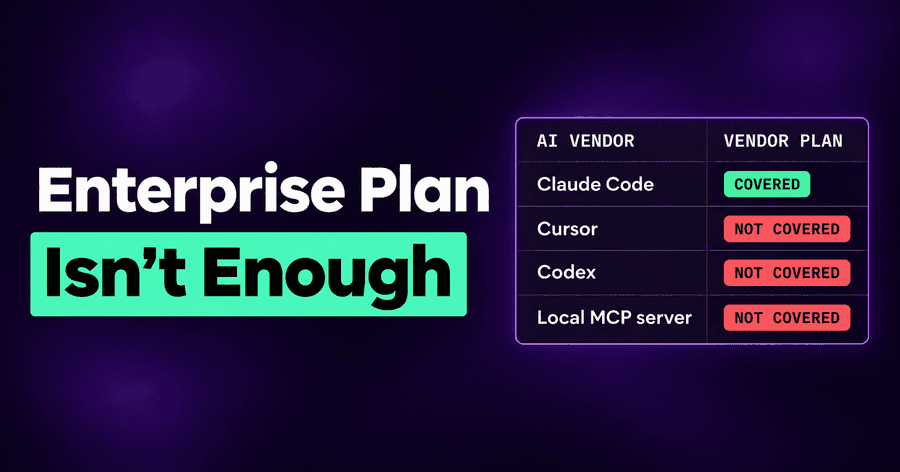
Why Your AI Vendor's Enterprise Plan Isn't Your AI Security Program
A security team recently told us they wanted to start with Claude Enterprise and its SIEM integration. They would see how far those capabilities took them and come back to us if they didn't meet their minimal requirements.
I thought that was reasonable. You already have a vendor, you've bought the enterprise plan, and you have a place to collect security events. Adding another system should require a reason.
The part I kept thinking about was “minimal requirements.”
Does that mean knowing who signed in and retrieving what happened in a conversation? Or does it mean stopping an agent from finding a production credential and sending data through a tool nobody approved?
Those are different requirements. I think this is where the discussion needs to start.
Why enterprise compliance isn't enough
Anthropic has done good work here. Claude Enterprise provides SSO, SCIM, role-based access, IP allowlisting, retention controls and connector approval. Its Compliance API lets security teams retrieve activity events, chat data and file content for DLP and SIEM tools.
Claude Code also has real local enforcement. Managed settings, deployed through MDM or managed by the server, override user settings. They can deny permissions, restrict MCP servers and force login to the organization. Claude's own guardrails are good. Calling all of this “just compliance” would be unfair.
But the boundary matters.
One vendor. Managed settings govern Claude Code. Anthropic explicitly notes that a developer calling its API from another tool isn't subject to those settings. Cursor, Codex, Copilot, Gemini and whatever arrives next quarter need their own coverage.
Records versus intervention. Enterprise audit log exports cover the past 180 days, arrive through an emailed download link and aren't real-time. They contain identifiers rather than chat titles or content. The Compliance API provides richer retrieval, but neither mechanism stops a shell command or redacts a secret inline. Sending records to a SIEM gives you somewhere to investigate after the event.
The tenant boundary. Your enterprise configuration doesn't become a policy for everything on an employee's machine. Personal accounts, unmanaged local MCP servers, skills copied from GitHub, .env files and shell history all matter to an agent's behavior.
I also don't expect an AI vendor to build neutral governance for every competing agent. Its product is its own agent. Your responsibility is the mix of tools your company actually uses.
This isn't a reason to discard enterprise controls. We connect Claude Enterprise agentlessly, bringing claude.ai chats, Cowork and Claude Code sessions into the same Activity view as endpoint activity, attributed to the person in your directory.
The enterprise plan is the floor. The question is what you need above it.
Here is my list.
Cover the agents your people will need next quarter
Suppose engineering wants Codex next quarter and marketing wants a browser agent. Does your security policy travel with them, or does each request start another security project?
I don't want a company choosing its agents according to which vendor's admin console security has already configured. People will need different tools, and those preferences will change.
Autonomous supports more than 60 AI agents under one policy. The value is continuity: you can evaluate a new agent without rebuilding your security requirements around it.
Discover what people actually run
An approved application list tells you what you intended to deploy. It doesn't tell you whether a developer signed into a personal account or added a local MCP server yesterday.
Before deciding what to block, I want an inventory of actual use: AI clients on managed endpoints, their models, skills, MCP servers and packages, and whether people use corporate or personal accounts.
Autonomous discovers that activity and can block personal AI accounts and unapproved AI apps on managed machines. That gives you a concrete starting point. You can distinguish an approved client using the company account from the same client operating outside it.
Scan the instructions agents load
A skill isn't just a document sitting next to the work. It's instructions the agent may follow while doing the work. Rules, commands and subagent definitions belong in the same conversation.
Imagine someone copying a useful-looking skill from GitHub. It helps with the requested task, but also instructs the agent to collect local configuration and send it elsewhere. Approving the agent doesn't answer whether that skill should run.
We scan and risk-rate those components. You can monitor first, then block Critical items or High and above through risk-based policy. The requirement is straightforward: review what changes the agent's behavior, not just the application that hosts it.
Treat MCP servers as code with access
An MCP server can run with the developer's access. Calling it a connector doesn't make that access less important.
A developer may install a server for one useful tool, while the server exposes other tools with much broader capabilities. “This server is approved” is too coarse if the actual requirement is “this person may use these two tools.”
Autonomous inventories and scans MCP servers, assigns Critical risk to servers that look malicious, and supports per-tool policy. You get a way to assess the server and constrain the capabilities people use through it.
Find secrets before an agent does
Consider a simple failure: an agent makes a request, receives a 401, and tries echo $TOKEN to work out why authentication failed.
That sequence doesn't require malicious intent. The agent is trying to finish the job. But now a credential may have entered the session, where it can be copied into another command or sent elsewhere.
We find secrets where agents can reach them and scrub them from history. I also want to remove the reason for the agent to handle the credential at all. With managed identities and Token Vault, the agent gets access to an action without receiving the credential behind it.
I've seen agents search for secrets they weren't given and then use them. “We didn't put the key in the prompt” isn't a sufficient boundary.
Apply guardrails across agents
Anthropic did a great job with guardrails. We add more controls, and those controls need to apply beyond Claude.
Tomorrow you may want to cover an agent that doesn't have strong guardrails. Your requirement to protect personal information shouldn't depend on whether that agent has learned to refuse a particular request.
Autonomous applies guardrails to prompts, tool calls and commands: detecting and redacting secrets and PII, blocking unsafe commands, and applying custom rules. For example, an API key that leaks into a session needs protection regardless of which client produced the session.
I want one consistent set of requirements, with controls at the steps where an agent can cause harm.
Let agents use sensitive data without leaking it
An agent may need to read a sensitive file to do legitimate work. Blocking every read makes the agent less useful. Allowing every subsequent send creates a different problem.
Suppose an agent reads an internal financial document, then tries to send information through an untrusted MCP server. The read and the send need to be evaluated together.
With DLP for agent sessions, you define sensitive sources and trusted destinations. When a session reads sensitive data and then tries to send it somewhere untrusted, Autonomous can flag or block the send. That includes email, code pushed to personal repositories, MCP servers and blocked destinations.
The useful requirement is more precise than “agents can't touch sensitive data”: agents can work with it, subject to controls on where it goes.
Decide who can use what
The same permissions rarely make sense for every team. R&D may need a powerful model for experiments that you don't want available across the organization.
You should be able to block a model organization-wide, allow another only for R&D, and set policies for agents, skills, MCP servers and applications by team or group.
Autonomous supports those decisions, with monitoring before enforcement. I would use that sequence deliberately: observe the effect, understand legitimate dependencies, then enforce. A policy is easier to operate when you know what it will interrupt.
Keep evidence of what agents did, in one place
The Compliance API gives you Claude's conversations. When something goes wrong, the questions that follow are wider. What did this person's agents do this week, in Claude Code, in Cursor and in Codex? Which tool ran, with which parameters? Which rule blocked it, and what would monitor mode have blocked?
We record sessions across agents with prompts, tool calls and parameters. The Enforcement view names the rule behind each block. Findings carry OWASP Top 10 for LLM/Agentic and MITRE ATLAS/ATT&CK tags, and activity is attributed to one person across their accounts.
That goes into the SIEM you already use. Same SIEM, but the analyst gets the action and its context, not one vendor's slice of it.
See where AI is used and what it costs
Security teams increasingly get asked a second question about AI: is it worth it? Which teams use it, with which models, and what does that cost? An agent left running all weekend is both a cost question and a security one.
Autonomous estimates AI spend from the tokens agents report and public list prices, by model, application or OS user, across the agents you run rather than one vendor's bill. These are estimates from what each agent reports, not an invoice. They are enough to spot the expensive outlier and to show where AI is actually being used.
Make secure connectivity the default
This is where I think safe AI use is going.
Today, giving an agent access can mean putting a token somewhere it can read. That leaves the agent holding a credential when all it needed was permission to perform a particular action.
I want connectivity to carry the identity and the restrictions. An administrator adds an MCP server once for the organization. Each person signs in as themselves, without pasting shared tokens. The administrator chooses the allowed tools and argument restrictions, such as permitting queries only against the analytics schema.
Our MCP Gateway supports that model from Claude, ChatGPT or any MCP client. It audits MCP traffic and shows who uses which servers from which clients. It can also connect internal or private MCP servers to cloud agents.
Combined with managed identities and Token Vault, the direction is clear: give agents actions, keep the credentials behind the connection, and make the permitted scope explicit.
I don't think the end state is an agent that can see every credential and is repeatedly told to be careful. Secure connectivity is the future of safe AI use. The work is making the safe connection the easiest one to use.
The bottom line
Missing features matter. The bigger cost of relying on one vendor is that you can't say yes.
Every new agent an employee asks for becomes a security project, or a no. So people wait or go around you, and the organization pays for it either way.
Cover whatever agent comes next, and you become the team that enables it. They will need more than Claude.
Start with the enterprise controls you already have. But test "minimal requirements" against what employees and their agents can actually reach. If you'd like to do that with us, we can walk through it.
Related posts
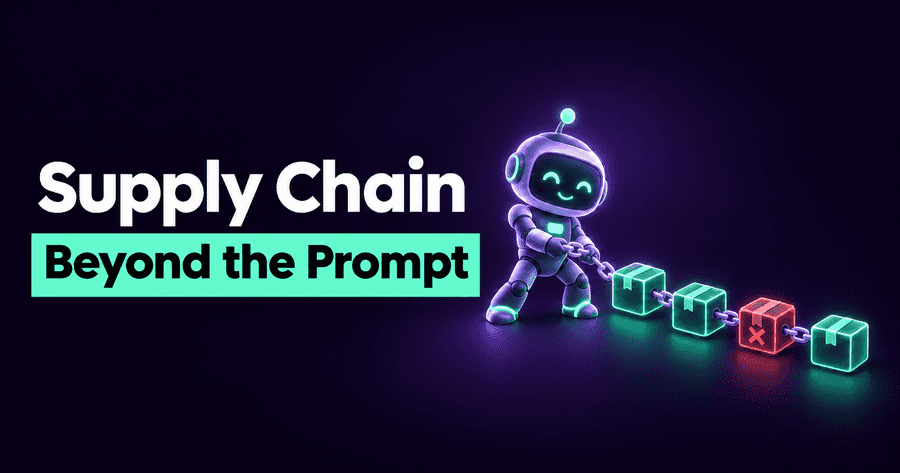
AI Agents Bring Software Supply Chain Risk Beyond the Prompt
Ask an agent to clean up a CSV and it may download and run someone else's software. Dependency checks and access controls need to follow the task, even without a repository.
Read More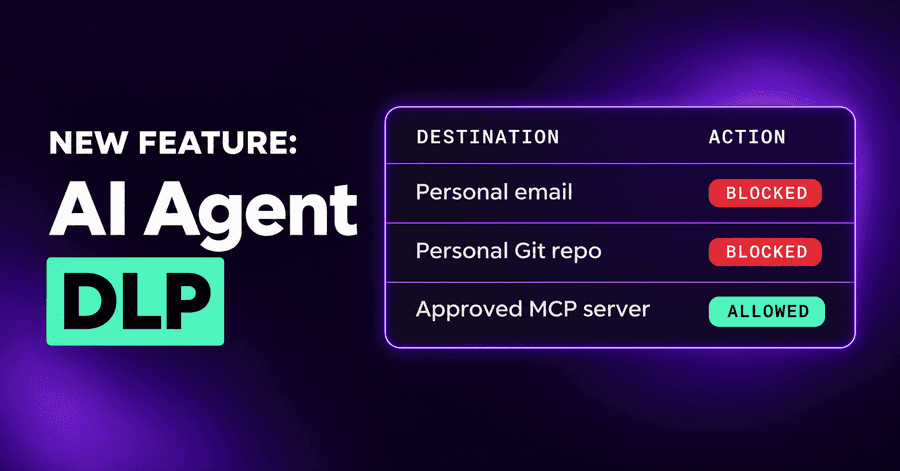
AI Agent DLP: Email, Git, MCP and Blocked Destinations
AI agent DLP now covers email, code pushed to personal repositories, MCP servers and connectors, and a list of destinations agents may never send to.
Read More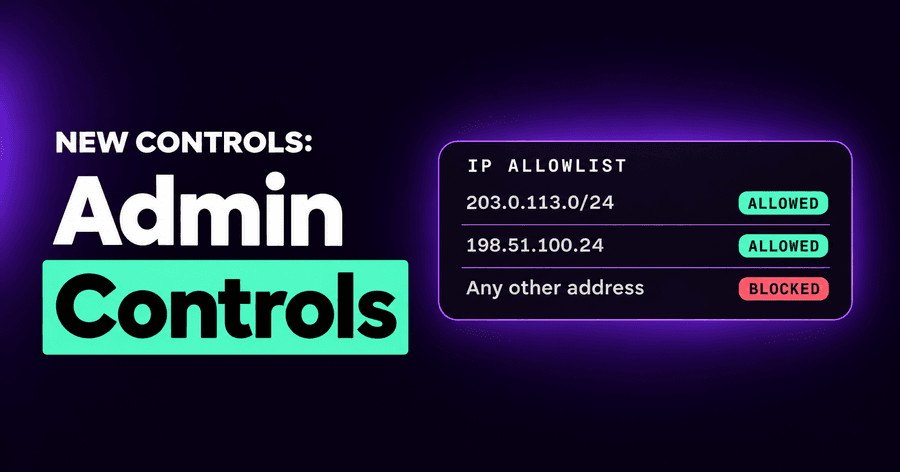
AI Security Admin Controls: IP Allowlist, OWASP and MITRE
A console IP allowlist, one Enforcement tab that names the deciding rule, OWASP and MITRE tags on findings, AI spend priced per vendor, and session export.
Read More